Running a Find the Word Game Night or Classroom Session

Find the Word is built around a single, easily explained idea: you are given one letter and a short time limit to type words of three or more letters that start with it. That simplicity makes it a good fit for a classroom starter or an evening around the kitchen table, because nobody needs a long rules explanation before the first round. What a group session does need is a little organisation, so that turns move quickly, scoring feels fair and younger or less confident players are not left behind.
This guide sets out everything needed to run a session, from a setup checklist to three ready-made plans, several scoring variants and a score sheet you can print. Before writing it we tested the game’s two modes on the live site, because they behave differently in ways that matter for a group: a solo Adventure round stops as soon as you reach its word target, while a 1v1 Live round always runs the full minute. The plans below are built around that difference.
The game modes you can use
- Adventure (solo)
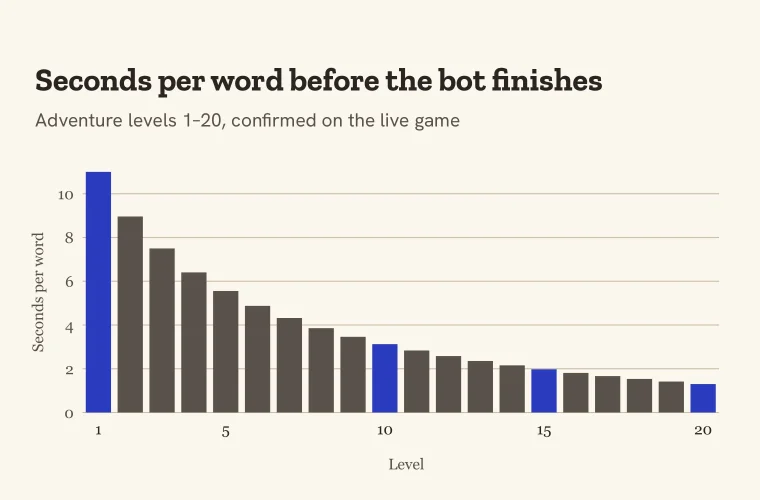
- You race Lexi, a bot, through 20 levels. Level 1 asks for 5 words and the target rises by one each level, while the bot finishes sooner: 55 seconds on level 1, 31 seconds on level 20. The round ends the moment you reach the target, so an Adventure score is really “cleared or not”, not a word count. Progress is saved in the browser, so on a shared device the next player starts at whatever level the last player reached. A private or incognito window starts again from level 1, unless the player logs in, because a logged-in account restores its best level.
- Letter-locked practice link
- An Adventure round with the letter fixed, for example https://theverbarium.com/play/?letter=m for M. Change the final letter to choose a different one. It is the easiest way to make everyone face the same letter, and the same level rules still apply.
- 1v1 Live
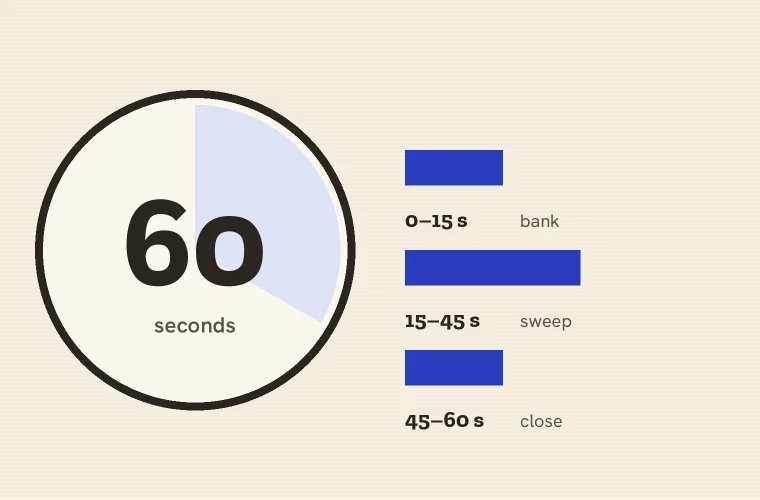
- One player creates a room and shares the link or its six-character code; the other joins from their own device, and both press Ready. A match is three rounds of a full 60 seconds, both players get the same letter each round, and there is no word cap. Whoever finds more words wins the round, a tied round gives nobody a point, and the match can end in a draw. The letters are drawn by the game and cannot be chosen, which is fair because both players always share them. Players who are not logged in type a display name first.
Which mode for which job? Use 1v1 Live whenever you want to compare how many words two people found. Use Adventure and practice links for team play (“how many levels can we clear together?”), for checking whether words are accepted, and for solo practice. Paper rounds are best when you want to set your own time limit.
What our 1v1 test showed an organiser needs to know
This guide has already been rewritten once. The first draft was written before we tested the game: it described a plain sixty-second round the game does not have, asked family players to take turns on the same letter and compare counts, which Adventure cannot support because a round stops at its target, and gave every tournament match its own suggested letters, which 1v1 Live does not allow. When we tested the live game, none of those plans held up, so every plan below was rebuilt around what the game actually does. On 14 September 2026 we also played a complete 1v1 match between two browser sessions to check the flow from an organiser’s side. Five things from that test matter for a group.
- Nobody needs an account. Each player types a display name, one creates a room, and the game shows a six-character code with buttons to copy or share it. Writing the code on a whiteboard works as well as sending the link.
- Nothing starts until both players press Ready. The lobby tells each player when the opponent has arrived, so a quick “Ready?” across the room is all the coordination needed.
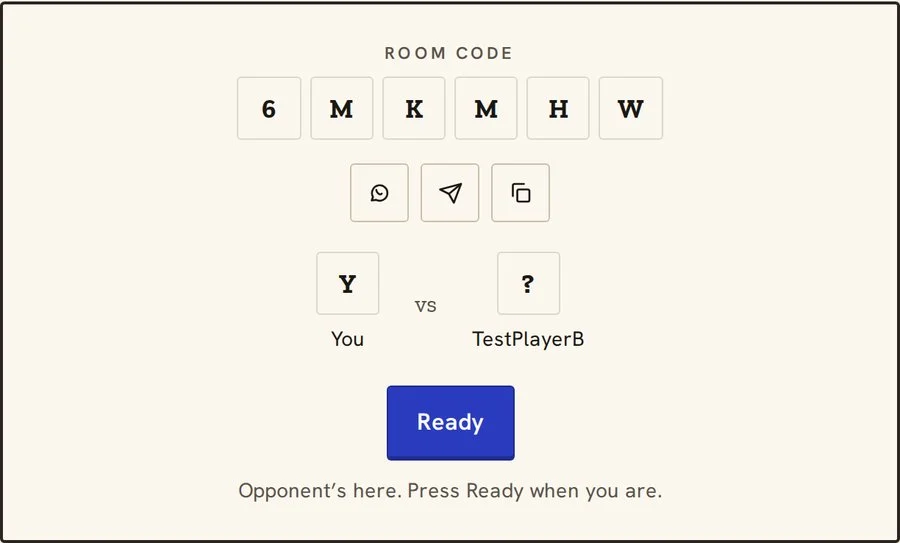
- The letters cannot be chosen. If a lesson needs a particular letter, use a letter-locked practice link or a paper round, not 1v1.
- Each player sees only their own words. The opponent appears only as a count, so nobody can copy, but nobody can check the other player’s words during the match either. If you plan a “word of the night” vote, ask players to jot down a favourite as they go.
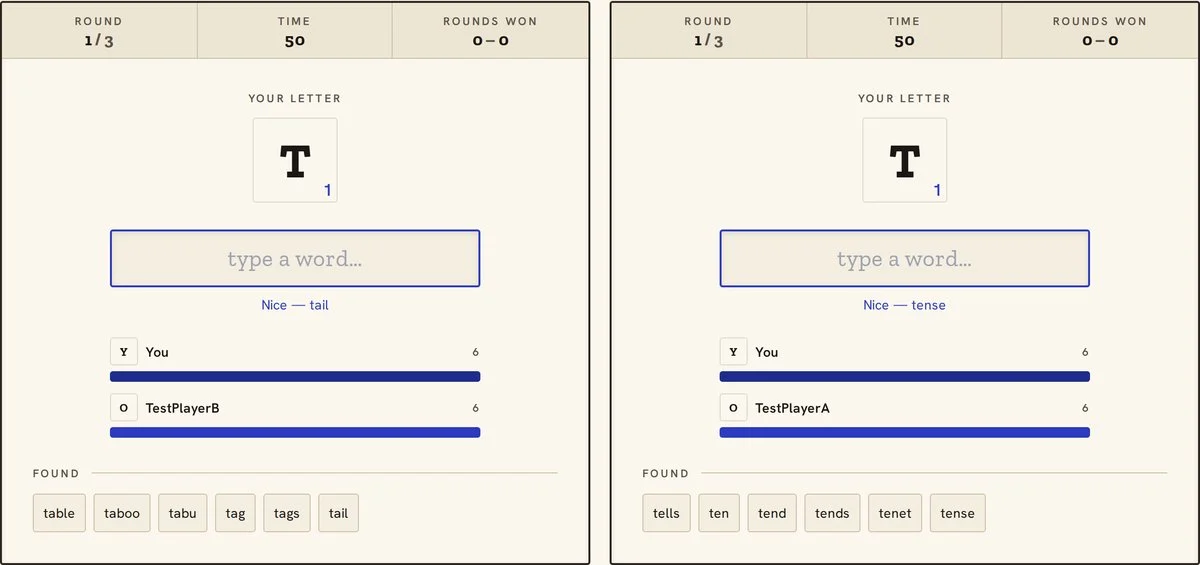
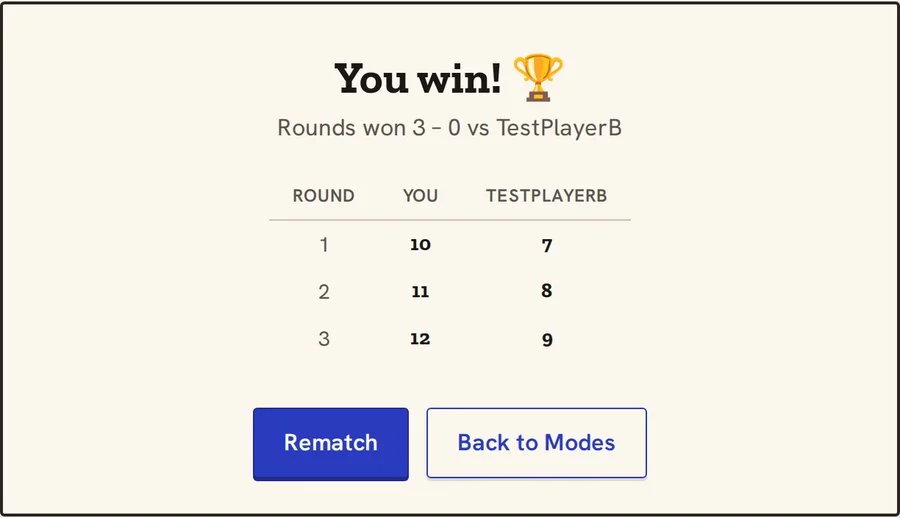
- All three rounds are always played. A match does not stop when one player has won two rounds, so budget the full three minutes plus joining time for every match.
Setup checklist
Most problems in a group session come from devices and connections, not from the game itself. Running through this list ten minutes before players arrive saves the awkward pause at the start.
- Test the game on every device you plan to use, including the projector or shared screen if there is one.
- Check the internet connection in the room, particularly if you plan to use 1v1 Live on several devices at once.
- Prepare the letter-locked links you want to use and keep them in a document, a message or a QR code so they can be opened quickly.
- Print one score sheet per group, or draw the table from this page on a whiteboard.
- Have a timer visible for any paper rounds, since the game’s own timer only runs on screen.
- If several people will share one device for Adventure turns, open the game in a fresh private window for each new player, and do not log in, so nobody inherits a higher level from the person before.
- Agree in advance who settles disputes. The simplest rule is that the game’s word list decides, and anyone curious can read how we check words afterwards.
- Decide on a scoring variant before the first round, not after someone has already won.
- Keep paper and pencils nearby for players who prefer to write, or for rounds played without devices.
Choosing letters
Letters are not equally generous, and the choice of letter does more to shape a round than almost anything else. For young players, the number of short words matters more than the total, because long rare words are unlikely to come to mind in sixty seconds. The table below groups letters by how many accepted words of three to five letters begin with each one. The counts come from the game’s own word list, not from English as a whole: the public-domain ENABLE list minus an offensive-word blocklist, 172,446 words in all, described on how we check words.
| Group | Letters | Accepted words of 3 to 5 letters | Good for |
|---|---|---|---|
| Generous | S, C, B, P, T | from 845 (T) to 1,452 (S) | First rounds, young children, warm-ups |
| Comfortable | A, D, M, F, L, R, G, H | from 566 (H) to 754 (A) | Most family and classroom rounds |
| Stretching | W, K, N, E, O | from 332 (O) to 495 (W) | Older children and confident players |
| Tough | V, J, I, Y, U | from 169 (U) to 255 (V) | Challenge rounds and tie-breaks |
| Very tough | Z, Q, X | from 15 (X) to 94 (Z) | Adults, novelty rounds, not young players |
Vowels are a common trap. E, O, I and U start many long words but surprisingly few short, familiar ones, so a young class can find U much harder than B even though it looks like an easy letter. If you want to prepare players for the tough end of the table, the guide to Q, X, Z and J and the three-letter words quiz are good starting points.
Three session plans
A 10-minute classroom warm-up
This plan needs one device connected to a projector and a set of mini whiteboards or scrap paper. It works as a lesson starter for most ages, and it can be adapted for spelling or phonics work by choosing a letter that matches the week’s focus.
| Time | Activity | Teacher notes |
|---|---|---|
| 0:00 to 1:00 | Explain the rule: one letter, words of three or more letters starting with it, beat the bot to the target | Show the game on the board; keep the explanation to one sentence and one example word |
| 1:00 to 3:00 | Whole-class level climb on a generous letter (for example B) using a letter-locked link | Pupils call out words and the teacher types. Level 1 needs 5 words, so a class usually clears it quickly; press Next level and keep climbing until the two minutes are up |
| 3:00 to 4:00 | Quick look at the results together | Point out one long word and one word the game did not accept, and why |
| 4:00 to 6:00 | Individual paper round on a different letter, timed for sixty seconds | Pupils write on whiteboards; no talking |
| 6:00 to 8:00 | Pairs compare lists and circle any word neither partner had thought of | Encourages sharing words instead of only comparing totals |
| 8:00 to 10:00 | Type a selection of pupils’ words into a practice round on the same letter to check them | Settles disputes. Each accepted word counts toward the target, so when a level clears, start the next round and carry on checking |
A 30-minute family night
This plan assumes between three and six players of mixed ages and at least two devices. It alternates short game rounds with lighter activities, so younger players get breaks and everyone gets a turn at choosing letters.
| Time | Activity | Notes |
|---|---|---|
| 0 to 5 minutes | Practice round for everyone on a generous letter using a letter-locked link | Unscored; lets each player find the keyboard and timer |
| 5 to 12 minutes | Round one: players pair up for 1v1 Live matches, two devices per pair; record words found per round on the score sheet | With an odd number, one player keeps score and joins the next match. Word counts are comparable here because 1v1 rounds run the full minute |
| 12 to 17 minutes | Team Adventure mode: the family plays one or two levels against the bot together | One typist, everyone else calls out words; rotate the typist each level. Record the highest level reached rather than a word count |
| 17 to 24 minutes | Round two: a timed paper round on a letter chosen by a different player, scored with a variant from the section below, such as personal best | Check disputed words afterwards in a practice round on the same letter |
| 24 to 28 minutes | Challenge round on a tough letter, played in pairs of an older and a younger player | Pairs share one device and one score |
| 28 to 30 minutes | Totals and a “word of the night” chosen by vote | The favourite word can be the funniest or the longest, not necessarily the winner’s |
A tournament bracket for 8 players
A knockout bracket for eight players takes seven matches, plus an optional third-place match. Play every match in 1v1 Live: it is the only mode where two players face identical letters over a full minute with no word cap. Each match is three rounds, and the player who wins more rounds goes through. Because a tied round scores nobody, a match can finish level, for example one round each with one tied round; if that happens, start a rematch from the result screen and play it as a decider.
| Stage | Match | Players | Winner goes to |
|---|---|---|---|
| Quarter-final | QF1 | Seed 1 v Seed 8 | SF1 |
| Quarter-final | QF2 | Seed 4 v Seed 5 | SF1 |
| Quarter-final | QF3 | Seed 2 v Seed 7 | SF2 |
| Quarter-final | QF4 | Seed 3 v Seed 6 | SF2 |
| Semi-final | SF1 | Winner QF1 v Winner QF2 | Final |
| Semi-final | SF2 | Winner QF3 v Winner QF4 | Final |
| Third place | 3P | Loser SF1 v Loser SF2 | (optional) |
| Final | F | Winner SF1 v Winner SF2 | Champion |
With eight devices, all four quarter-finals can run at once, and a match takes a little over three minutes plus the time to join a room. The game picks the letters, weighted towards common starting letters, so a match will rarely hit Q, X, Z, J or Y: each appears in well under one round in a hundred, and both players get the same letter when it does. Players who want to prepare in advance may find how to win timed word games useful, and the full mode rules are in Adventure mode, tested.
Scoring variants and fairness
These variants work with 1v1 Live counts and with paper rounds. They do not suit Adventure, where a round stops at its target and every successful player ends on the same number. The default score is simply the number of accepted words. That is clear and quick, but in a mixed-age group it tends to reward whoever has read the most, so the variants below give you other options. Each comes with a note on how it treats younger or less experienced players.
| Variant | How it works | Fairness note |
|---|---|---|
| Straight count | One point per accepted word | Simple and transparent, but favours older players with larger vocabularies |
| Length bonus | 1 point for 3 or 4 letters, 2 points for 5 or 6, 3 points for 7 or more | Widens the gap between strong and weak spellers; best among players of similar age |
| Personal best | Score the difference between this round and your own previous round on a similar letter | The fairest option for mixed ages, because each player competes with themselves |
| Unique words | Players write their words on paper; any word found by two or more players scores nothing | Rewards unusual words but can leave young players with very low scores, since their words are the common ones |
| Length floor | Older players only score words of four or more letters (or five or more); younger players score everything | A simple handicap that keeps everyone on the same letter |
| Letter handicap | Younger players use a generous letter while older players use a tougher one in the same round | Works well for families, though the scores are no longer directly comparable |
| Mixed pairs | An older and a younger player share a device and a score | Removes individual pressure; make sure the younger player gets to type or call out words, not only watch |
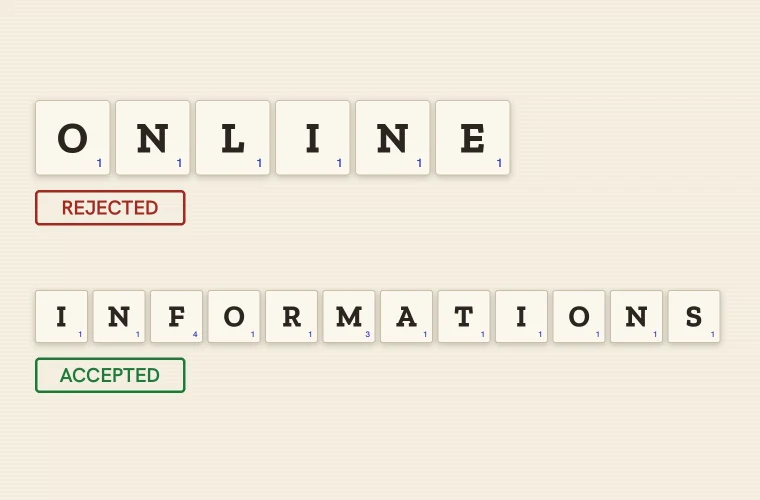
For young children, it helps to avoid negative scoring altogether and to keep any penalty for rejected words out of the rules. A word that turns out not to be valid is a chance to talk about spelling, not a lost point. When disagreements arise over plurals, spellings or place names, the words you can’t play explains the most common reasons a word is refused.
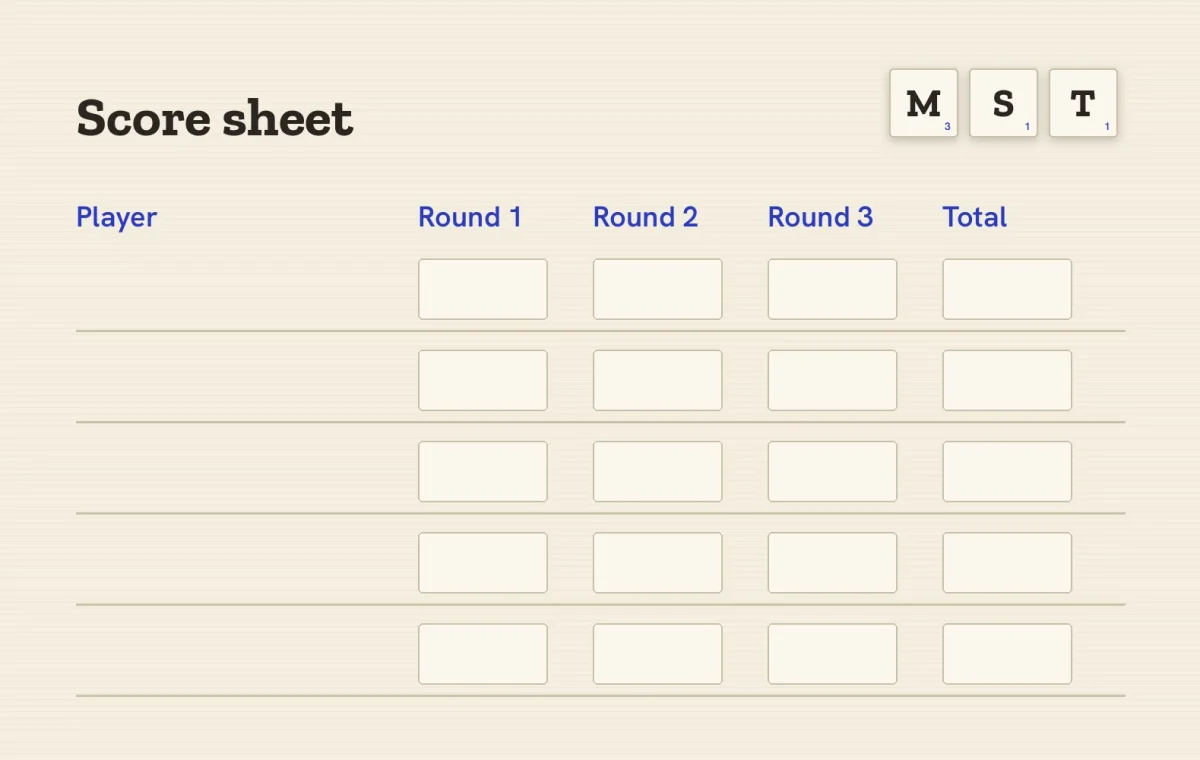
Printable score sheet
Printable: Download the score sheet (PDF, one page). Eight players, four rounds and the quick rules for both modes.
Print this section or copy the table onto a whiteboard. Write the letter used in each round in the header row before play begins, and use the notes column for handicaps, variants or a favourite word.
| Player | Round 1, letter: ___ | Round 2, letter: ___ | Round 3, letter: ___ | Round 4, letter: ___ | Total | Notes |
|---|---|---|---|---|---|---|
| 1. | ||||||
| 2. | ||||||
| 3. | ||||||
| 4. | ||||||
| 5. | ||||||
| 6. | ||||||
| 7. | ||||||
| 8. |
Accessibility tips
A sixty-second typing game puts pressure on two things at once: recalling words and entering them quickly. Players who find either of those difficult can still take a full part if the session is set up with that in mind. The suggestions below are general good practice for group activities, and it is worth trying the game in advance with any assistive technology your players rely on.
- Separate thinking from typing. Let a player say words aloud while a partner types, so that typing speed does not limit the score. Alternate roles in the next round if both players want to type.
- Offer paper rounds. A paper round can be timed however you like, so players who need more time can have two minutes. In the game, Adventure level 1 is the gentlest setting, with only 5 words needed and 55 seconds before the bot finishes, and a private window starts there as long as nobody logs in.
- Make the screen easy to read. Use browser zoom to enlarge the page, sit players close to a shared screen, and dim the room lights if there is glare on a projector.
- Support spelling differences. For players with dyslexia, consider scoring words that are clearly intended and nearly right in paper rounds, and use game rounds as a gentle check rather than a penalty.
- Reduce noise and pressure. Loud call-outs in a big group can overwhelm some players. Quiet individual rounds, or mixed pairs, give everyone space to think.
- Choose letters with care. Start with generous letters from the table above, and warn players before a tough letter so it does not come as a shock.
- Give everyone a role. Scorekeeper, timer and letter-chooser are real jobs, and some players enjoy them more than playing every round.
Between sessions, players who want to improve can build vocabulary with word recall training or practise on their own using any letter-locked link, which is a low-pressure way to get comfortable with the game before playing in front of others.
New to The Verbarium? Follow the reading path, with tools and printables